NeuraTiM LifeCue — keep every important date in one calm place
Expiry dates, renewals, warranties, medicines and maintenance. LifeCue works out what is
due next, reminds you in time, and keeps your data on your device.
- Free
- No account
- Works offline
- No ads, no tracking
Open the web app
Add it. Deal with it. See what is next.
-
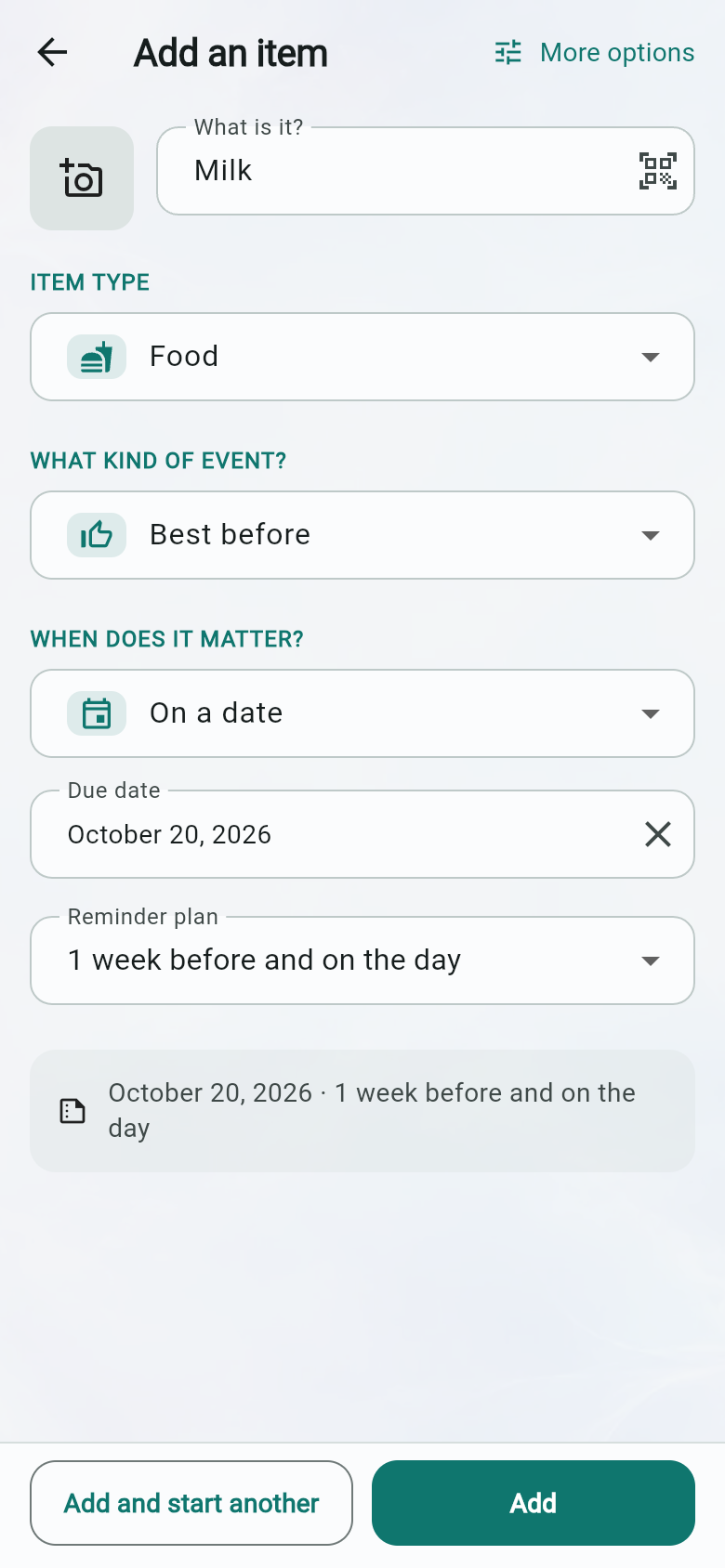
Add it without filling in a manual — give it a name, choose the item
type and kind of date, then say when it matters and how early you want a reminder.
“More options” opens the full editor without losing what you entered.
-
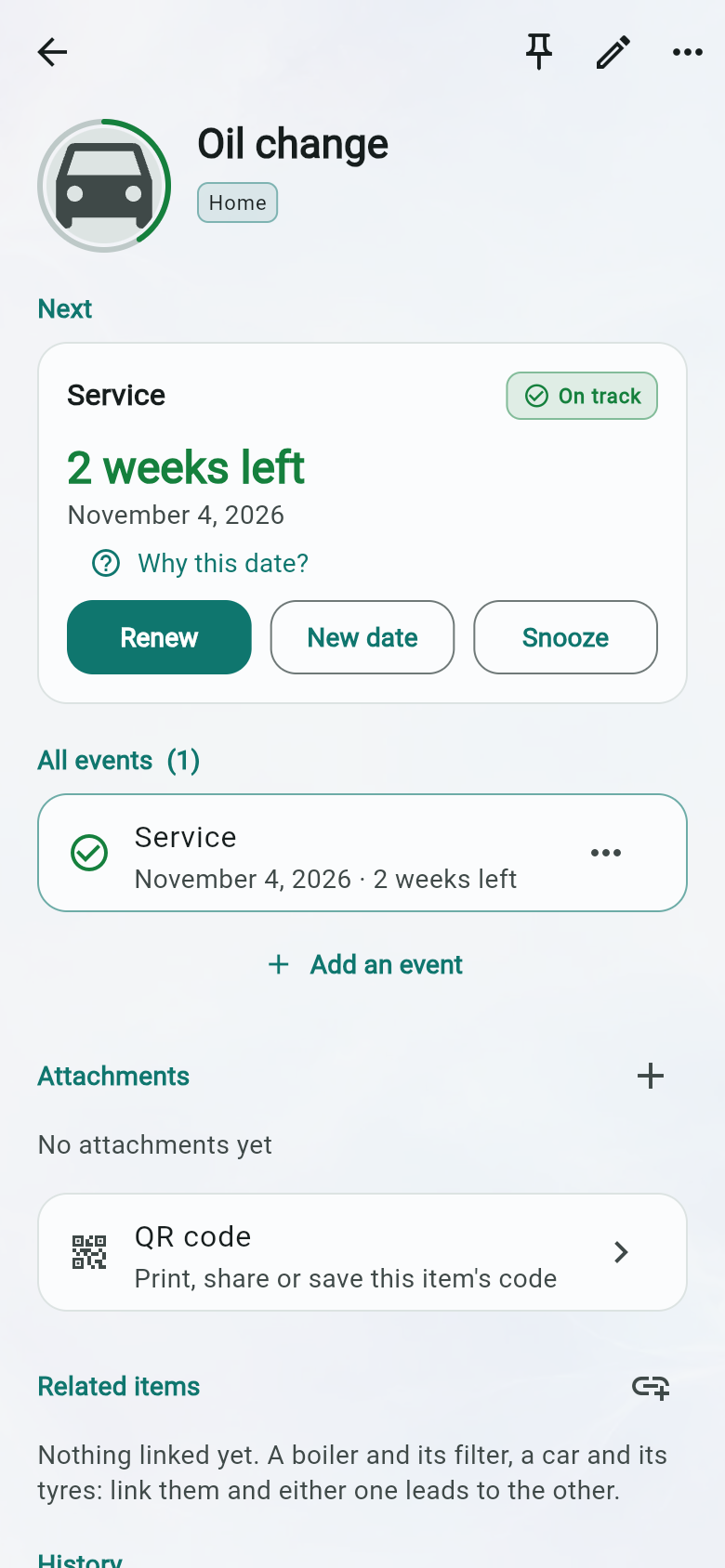
Use the action that matches the job — Complete records the work and
calculates the next date. Snooze moves only the alert. New date changes the due date
and records the change in the history.
-
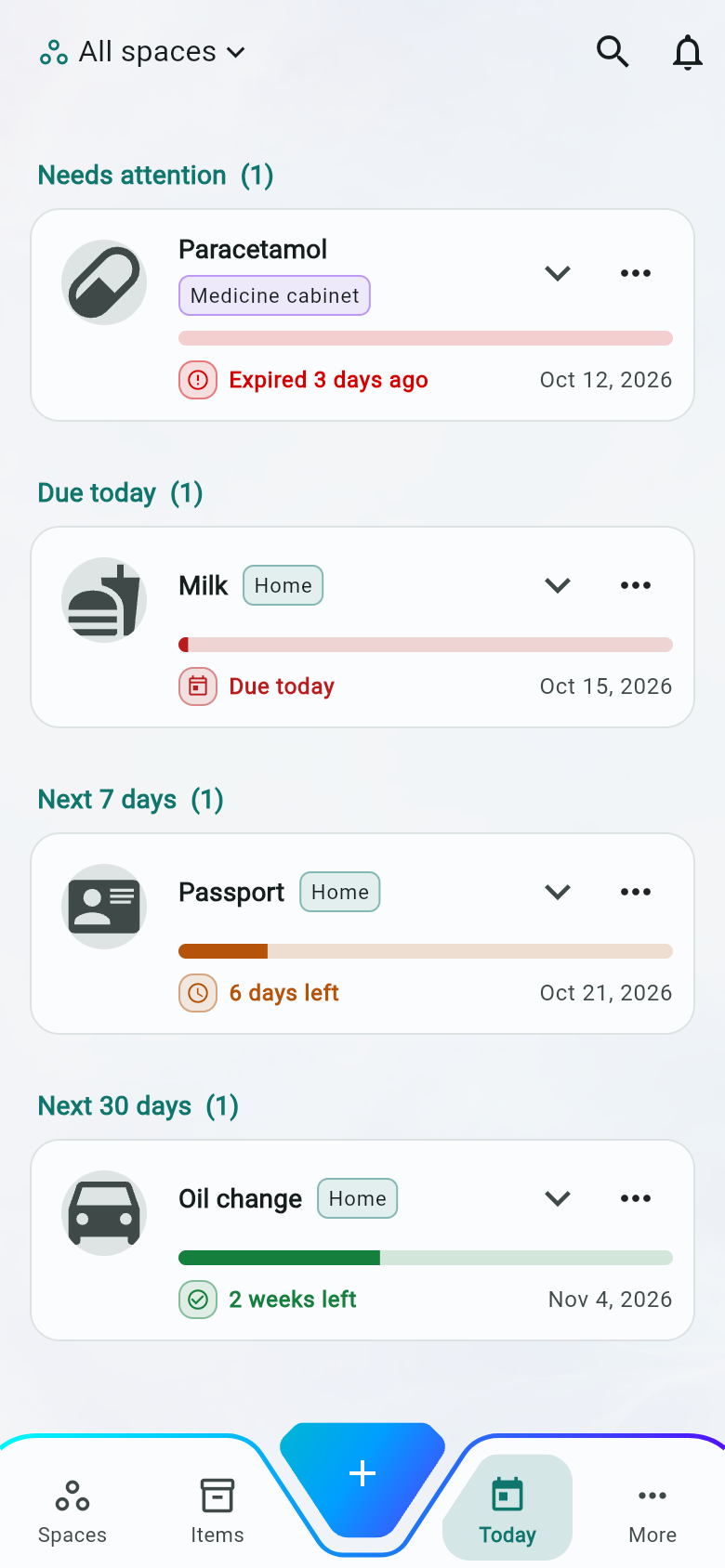
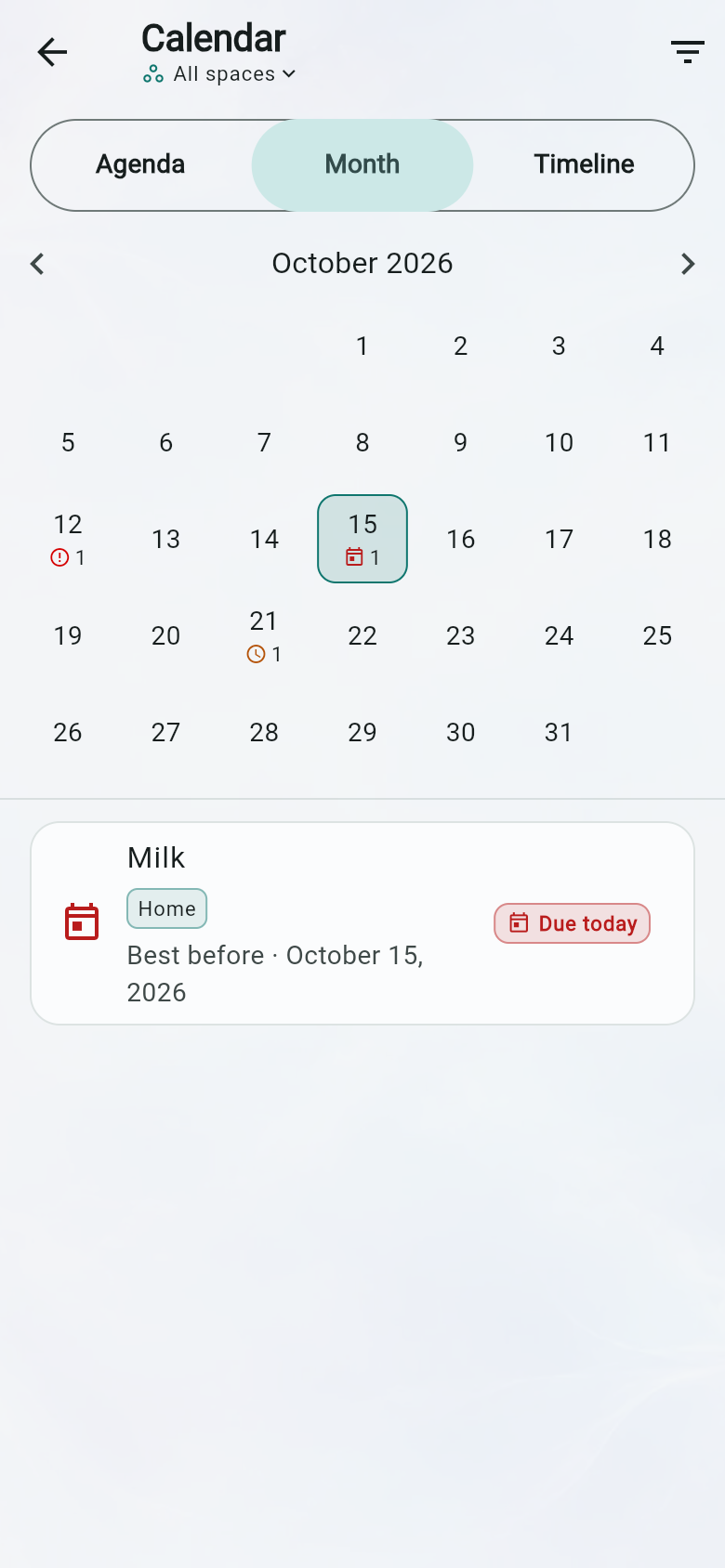
See what needs attention — Today shows overdue items, what is due
today, and the next 7 and 30 days, with each item in its most urgent group. The
calendar gives you an agenda, month grid and twelve-month timeline for everything
else.
New in LifeCue
-
Rules that fit the way you work — create item types and lifecycle
rules, choose which dates and actions apply, and decide what happens after an action.
-
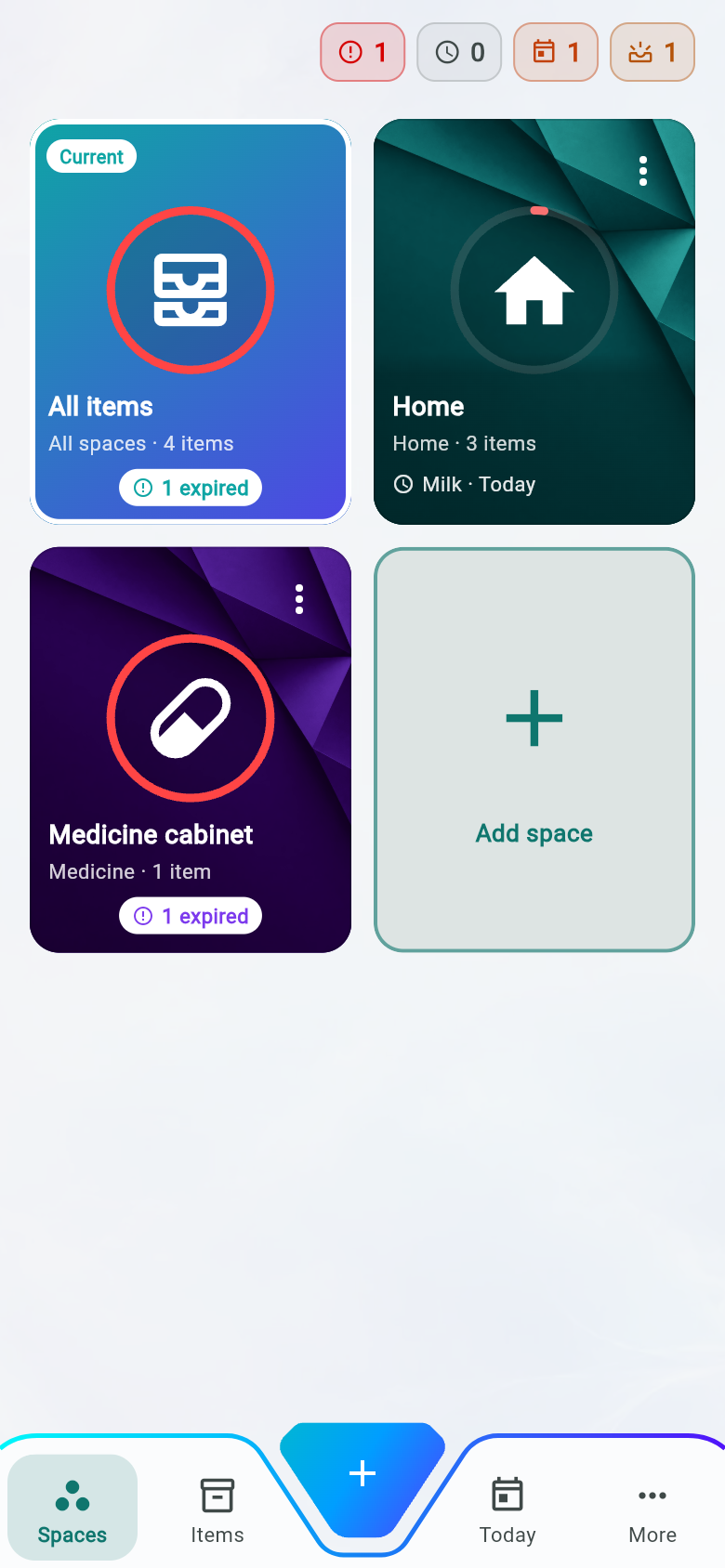
A Spaces board you can read at a glance — see item counts, late work
and what is due next for every space, with urgent totals across the app.
-
Stock&Find, without a server — on Android and iOS, send dated
stock into its own LifeCue space through a one-way, on-device hand-off.
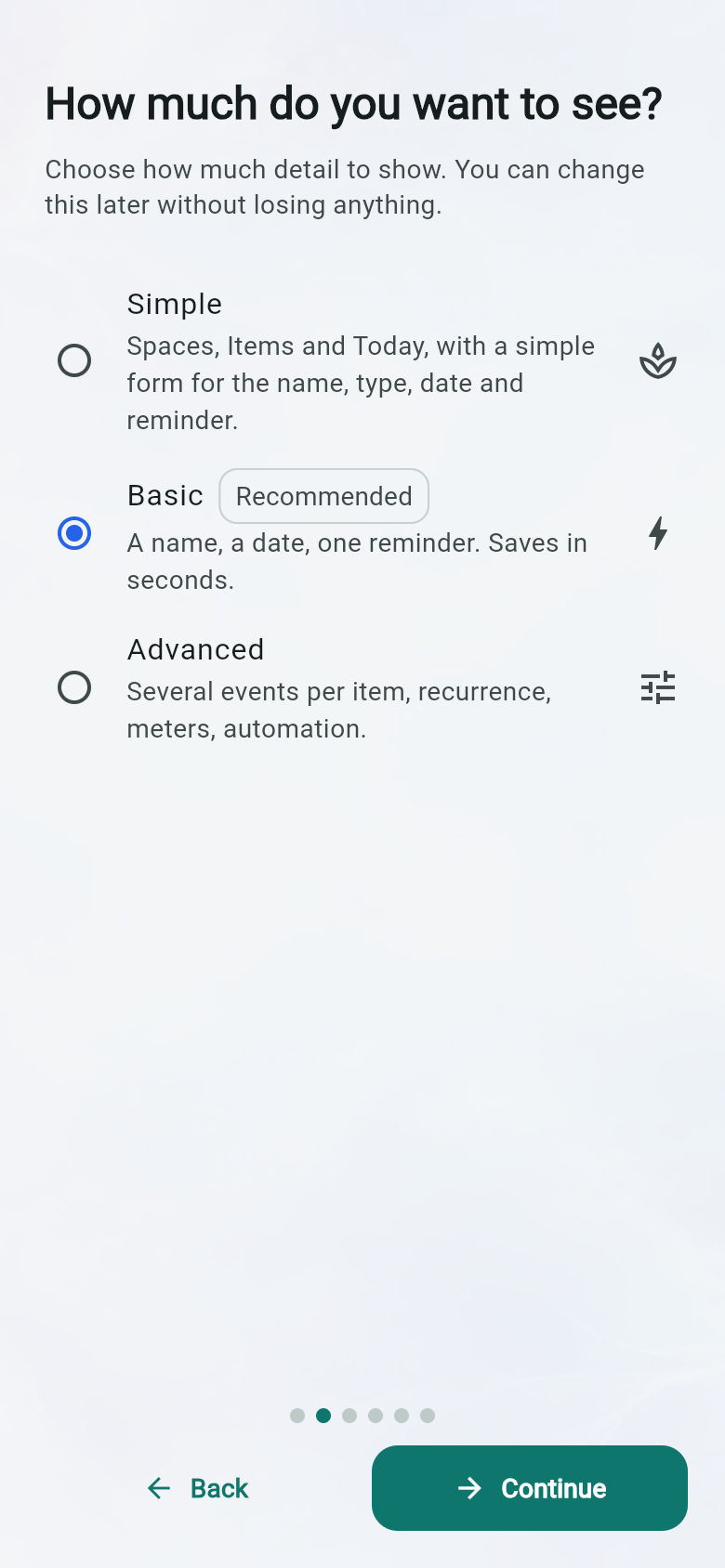
Start simple. Turn on detail when you need it.
Super simple keeps Spaces, Today, Calendar and More, with Add in the middle. Basic opens
the quick form; Advanced opens the full editor. You can change the mode at any time.
-
Super simple — four familiar kinds of space, four screens, and one
form with a name, item type, date and reminder.
-
Basic — a quick form for the item type, event kind, date and one
reminder — the recommended starting point.
-
Advanced — several events per item, recurrence, meter readings, and
the outbound webhook that stays off until you switch it on.
Know when it matters — without doing the maths
Pick a date, count forward, repeat on a schedule, link it to opening or installation, or
combine time with a meter reading. LifeCue keeps the rule, so the next date is worked out
consistently instead of being left for you to remember.
-
Remind me more than once — a month, a week and a day before, plus
chasing after the due date with a limit on how long it keeps asking.
-
Quiet while you are asleep — an alert that would land at three in the
morning waits until you are awake instead of being dropped.
-
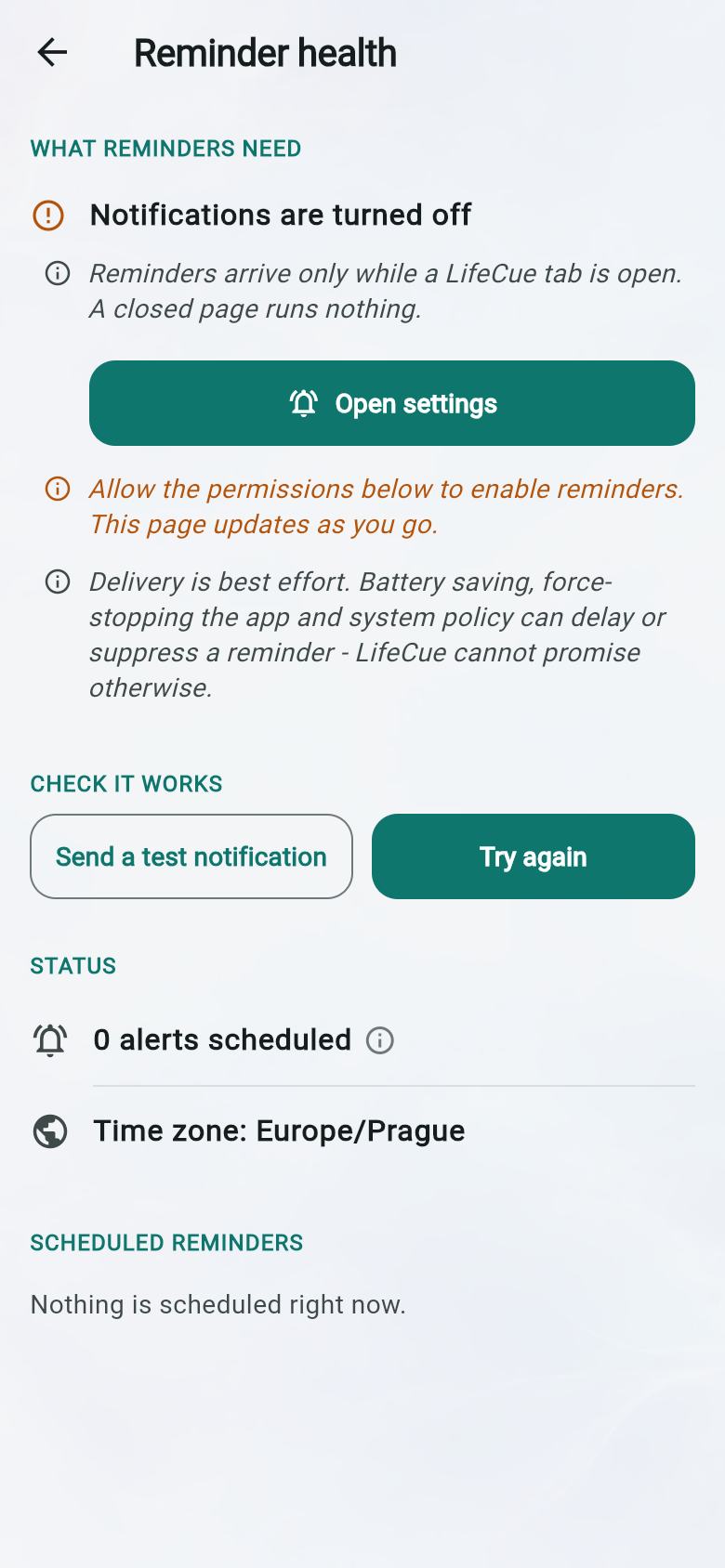
See whether reminders can arrive — check permission, exact-alarm
policy, pending count and the device time zone, then send a test notification.
-
Designed around iOS limits — LifeCue budgets 56 of iOS's 64 pending
notification slots, schedules the next 120 days and refills the window on every
resume.
If a rule is waiting for an opening date or another anchor, LifeCue says so instead of
guessing. It is just as direct about notifications: battery saving, force-stopping and
system policy can delay or suppress them, so the app shows what your device can deliver.
Your data stays yours
There is no account, no server holding your records, no analytics, no advertising ID and
no crash-reporting SDK. In everyday use, LifeCue does not need the network at all.
- Items, events, history and settings live in a local database on the device.
-
Photos and documents go to app-private files, or to the browser's own local database
on the web.
-
Three features can send something, and all three are started by you: a webhook you
configure, the mail or SMS composer, and the share sheet.
-
Notification content has three levels, so a lock screen need not name what is due.
- Erase all local data removes every record, attachment and key after confirmation.
Read the full privacy policy
Free, and staying that way
No subscription, no paid tier, no feature held back for one. There is no account to upsell
to and no usage to meter.
Install it, or just open it
Made by NeuraTiM. Contact:
info@neuratim.com.
neuratim.com